The Challenge
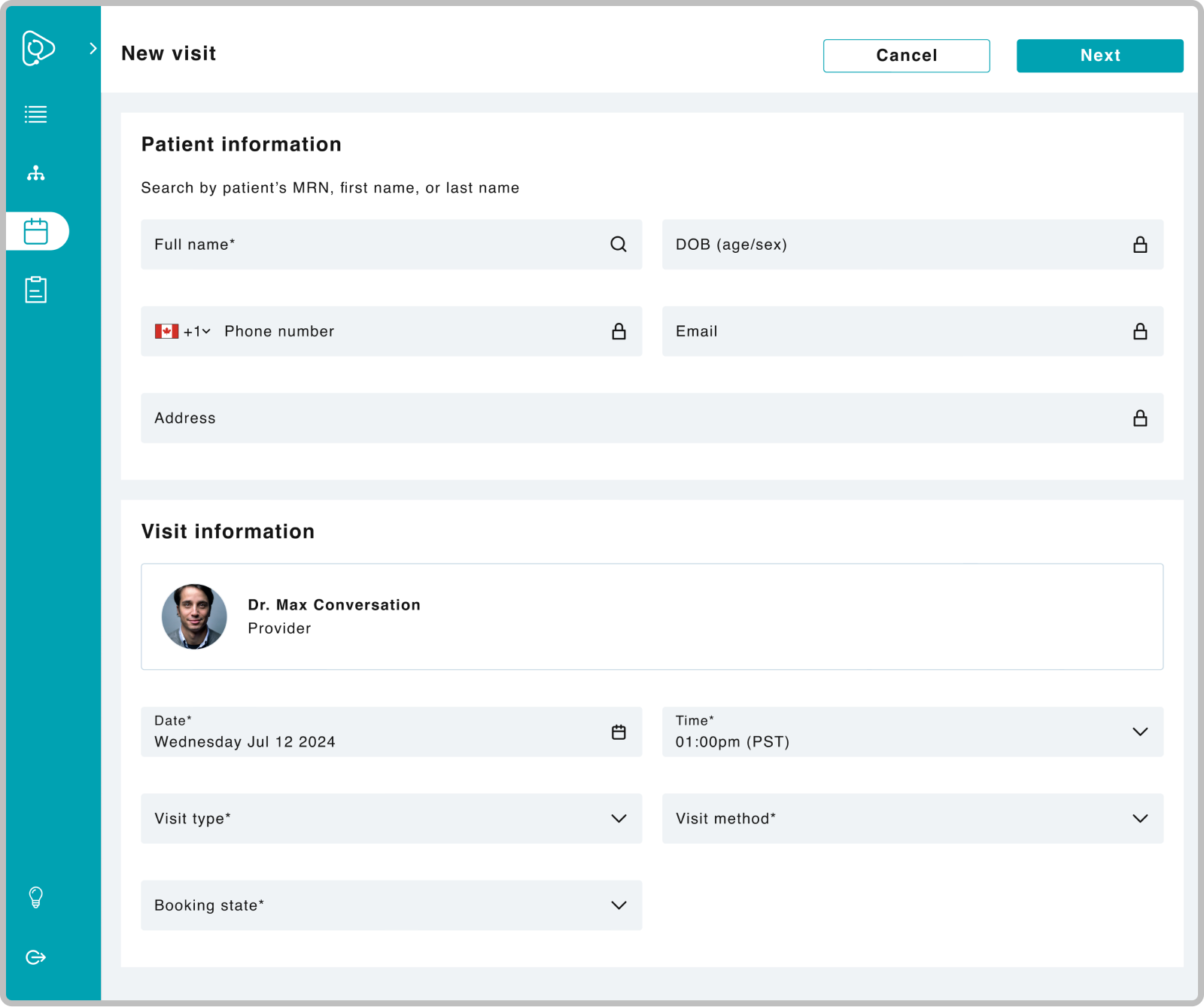
When patients can't book visits through the app due to technical issues or scheduling conflicts, the internal support team becomes the bridge to receiving care. However, the team lacks an efficient way to book visits. The existing process forces the team to do unnecessary manual work like needing to cross-reference a provider's calendar in a separate tab to select an appropriate visit time in another. This disjointed experience doesn't just affect the internal team, but can impact the patient experience with delays in care and frustration from worsening symptoms.
Key Findings
Manual process
Form fields need to be manually selected, which can be time-consuming and lead to users feeling pressure to act quickly.
Double-booking risks
Risk increases since the visit time field shows all visit times of the day, regardless if there’s an existing visit for that time slot already.
Rigid flow
The only option to book is by provider, which can lead to imbalances where a few providers can have more patients than others.
The original booking flow required navigating two separate tabs, forcing users to manually cross-reference provider availability before completing a booking.
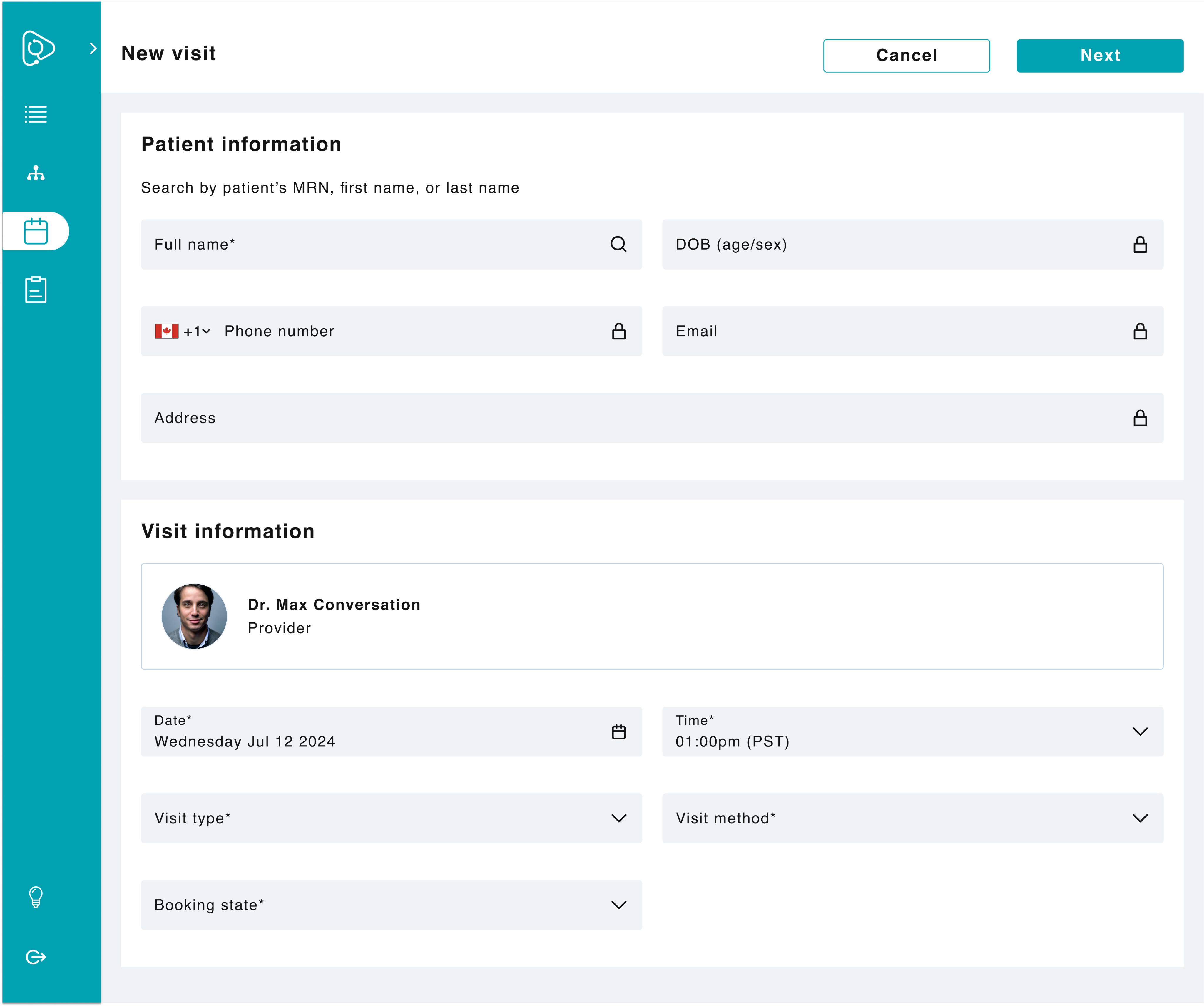
Booking a new visit starts with searching for the specific patient, then entering the visit information.
Approach
1
Align on scope
By having a kickoff meeting with the PM, this opened a conversation about increasing the scope since booking visits and rescheduling visits are closely intertwined.
2
Leverage existing patterns
By building off what we already had, this allowed me to explore several iterations.
1
Map the current workflow
There’s different channels an e-order goes through before it reaches the patient.
It was crucial to visually map the workflow to identify opportunity areas and articulately explain the problem/solution in critiques and to leadership.
3
Propose solutions and gather feedback
I proposed two designs to my PM and VA Lead. This helped provide direction and uncover additional use cases that were overlooked.
Results
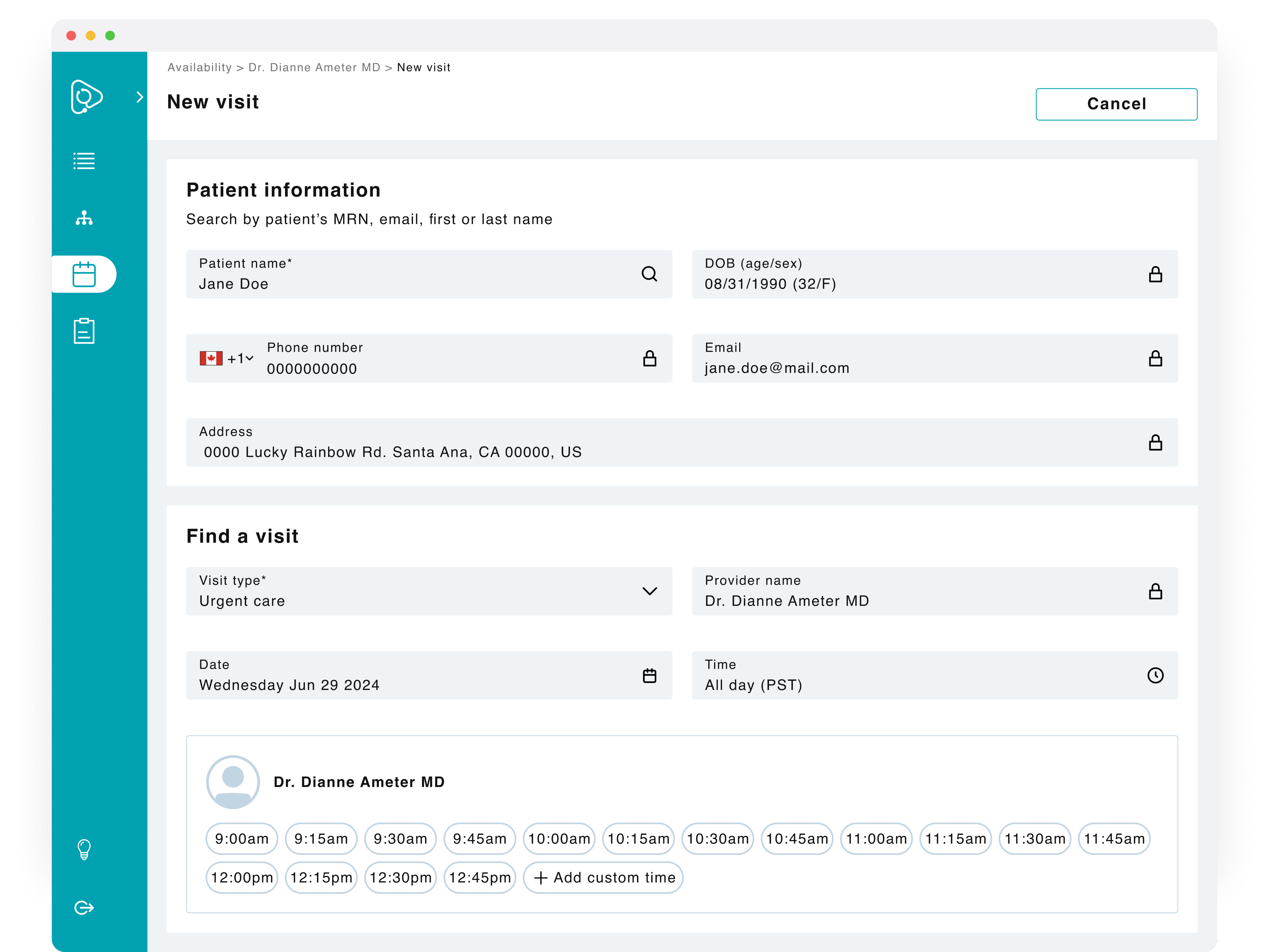
A streamlined booking experience that incorporates an additional flow entry point, a proper search feature, and the ability to override a provider's availability. This solution was successfully implemented and led to reduced manual work, reduced booking time, and streamlined a fragmented flow.
Updated section
The second section has been updated to support the users’ mental model and reflect any conditionals selected.
Visible visit times
Users can filter by time of day (e.g. All day or hourly) and results show only available visit times.
New custom time
The only option to book is by provider, which can lead to imbalances where a few providers can have more patients than others.
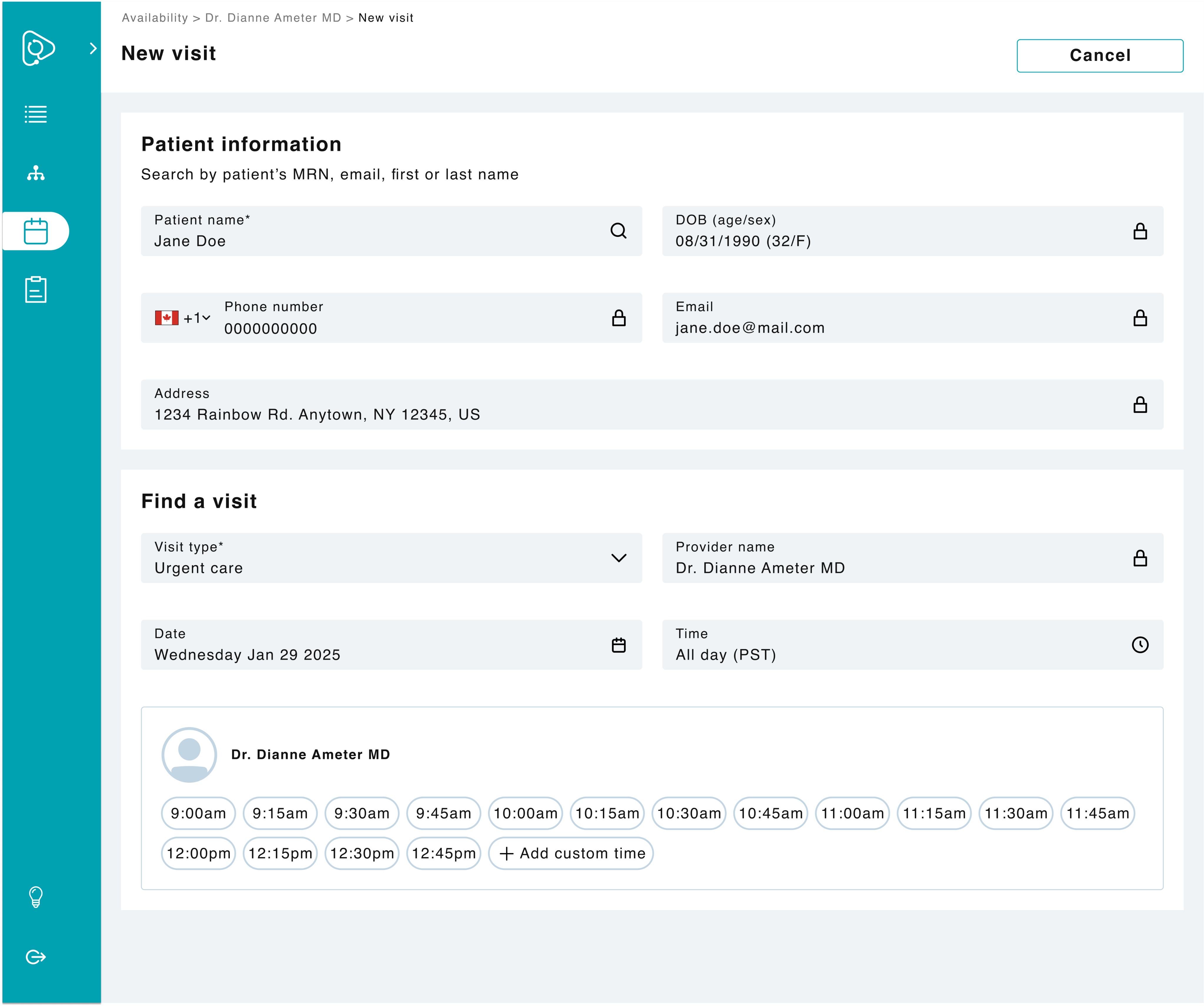
If searching for a specific provider’s availability, users can see their available time slots or add a custom one.
Added flexibility
Users can book a visit directly from the patient’s chart and search for a specific provider in their state or by time.
Sort results
Since this new feature has an updated search logic, users can sort results based off of different criteria.
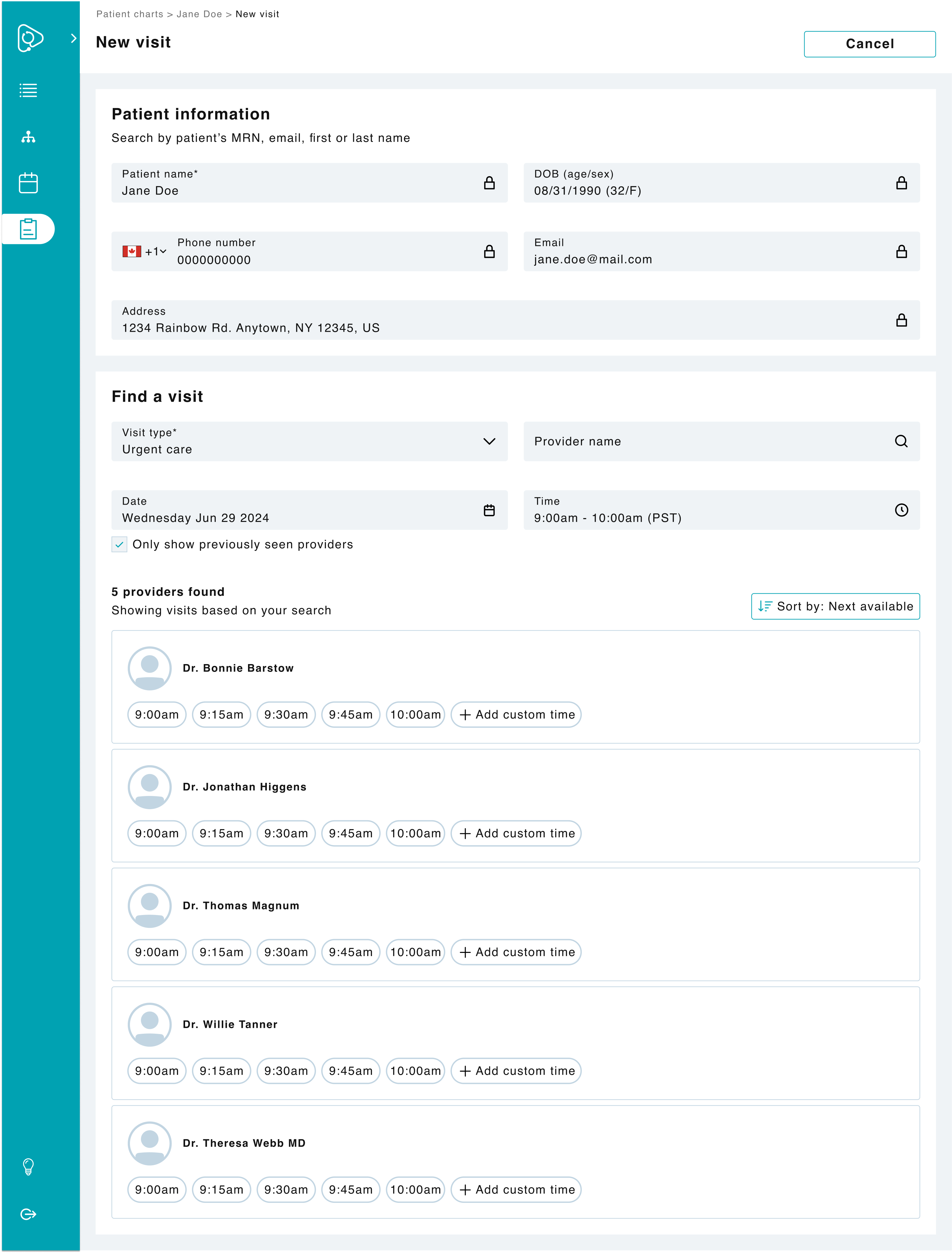
If searching for an ideal time slot, users can see all providers who are available in that patient’s state.