The Challenge
When patients receive certain compounded prescriptions from one of QuickMD’s pharmacy partners, they have no way to track their orders in the app. The only way to get an update is by contacting the Support team, which creates frustration and unnecessary friction.
Please note: prescribed medications = orders

Maddie
QuickMD Project Manager

"Users don’t have a way of tracking their orders in the app or know when to expect them. "
Shipping ranges anywhere between
9 to 18 days
Solution
An order tracking feature that gives patients visibility into their order status for the first time, both directly within the app and through email notifications.
How it started
Months before this feature was formally prioritized, a company-wide transition allowed me time to do an open-ended exploration with no formal constraints or requirements. Not to design a final solution, but to surface questions before the real work began.
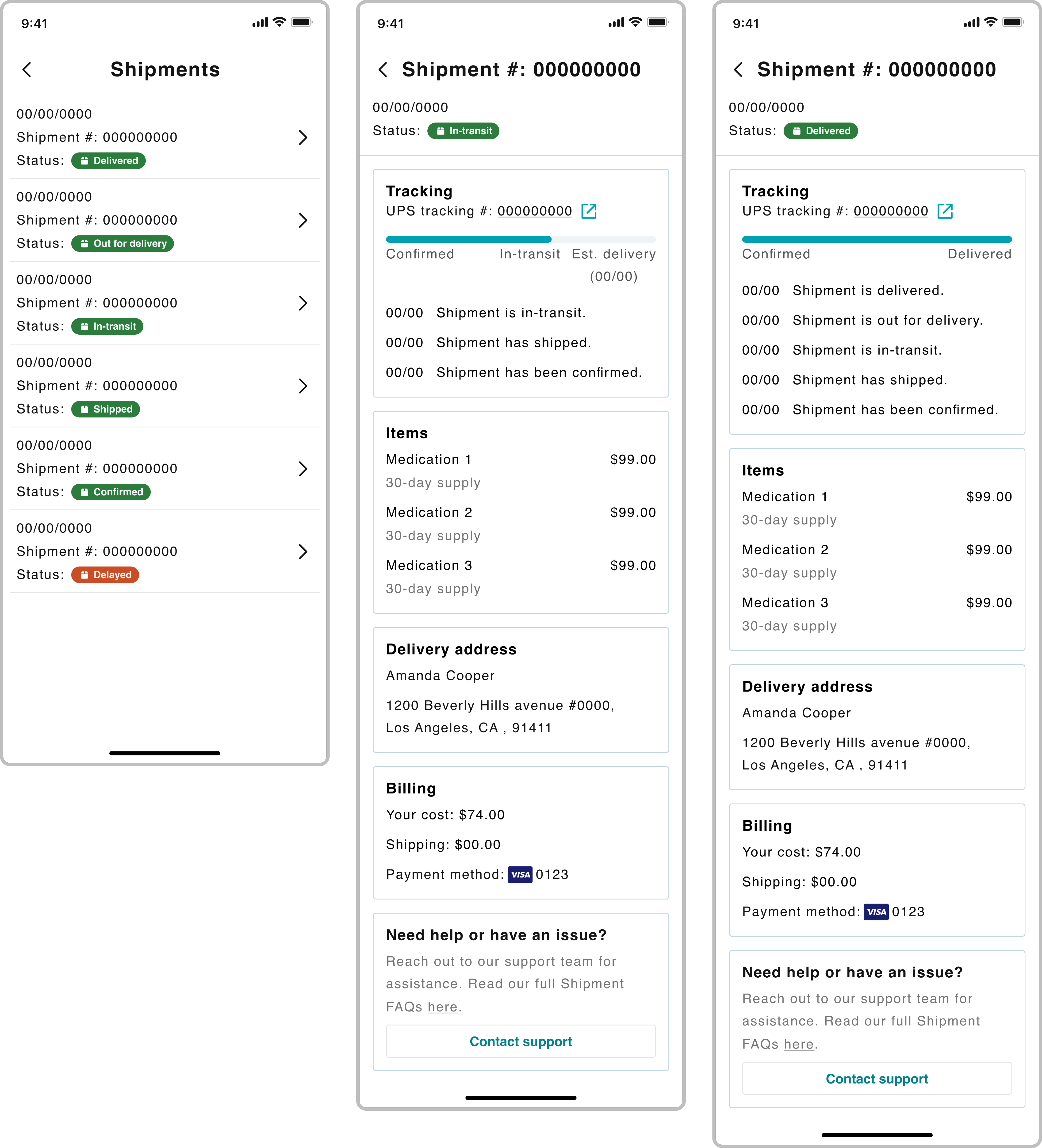
Early designs that explore shipment details and tracking without any constraints or requirements.
The users
Patients fell into two groups based on where their medication was sent. Both groups lacked visibility into their order status, but their needs and tracking capabilities were different.
1
Fulfilled via pharmacy partner
Medications are sent and shipped directly to the patient from one of QuickMD's pharmacy partners.
2
Fulfilled via preferred pharmacy
Medications are sent and picked up from the patient’s preferred pharmacy.
While admins and providers weren't the primary focus, their platforms were also affected.
Approach
I mapped the full order journey because it spans multiple touch points – from the provider prescribing, to the pharmacy partner, and to being picked up by the carrier. This revealed how many teams and systems were involved and helped the team align on the true scope of the problem.
From there, I worked closely with the PM and Marketing to align on what statuses could be surfaced at different stages before moving into design.
Iterations
Designing order tracking surfaced a few key challenges that shaped the final solution.
Where can it live?
Initially I thought of a dedicated Shipments area, but it would send patients to two places for similar information.
Use existing Order details screens
Building on to what’s already been built not only saves time, but works logically.
What’s within scope?
Once the team understood which statuses were technically feasible, we needed to decide which to build first.
Prioritized statuses
In order to ship quick and have high impact, these statuses were prioritized:
- In Progress
- Sent to Pharmacy
- Shipped
How can we add flexibility?
The main focus was on compounded orders, but what about our other patients?
Cast a wider net for different use cases
The solution accommodated multiple orders and medications sent to a preferred pharmacy.
Result
Phase 1 of this solution, which included new sections within the app and new emails, was successfully implemented and users can now stay up to date with their orders from our pharmacy partners or their preferred pharmacy. Phase 2 will include an investigation on the data and a full integration with shipping carriers.
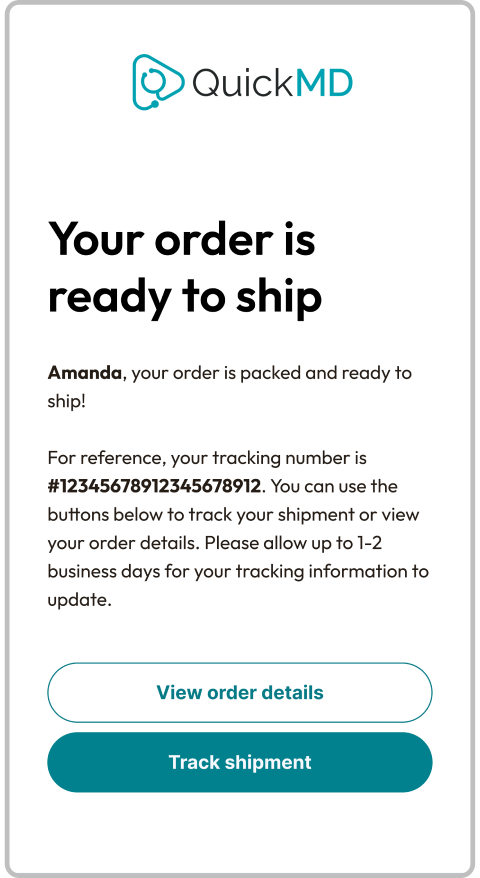
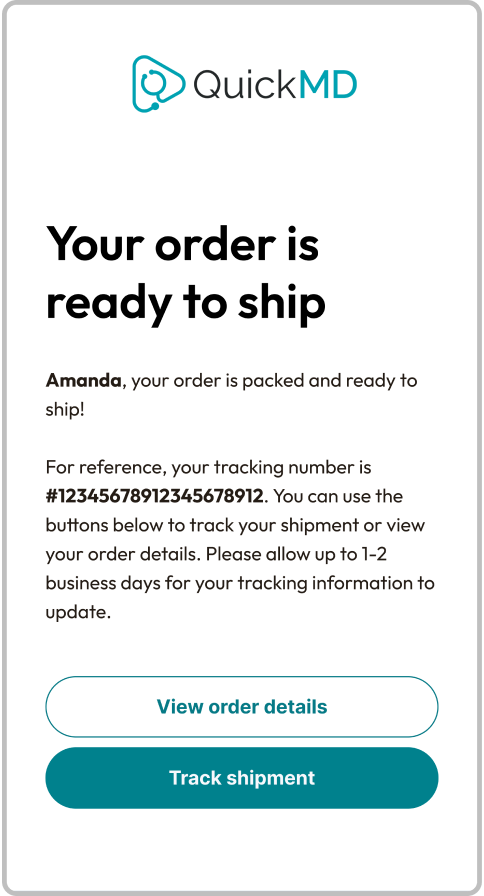
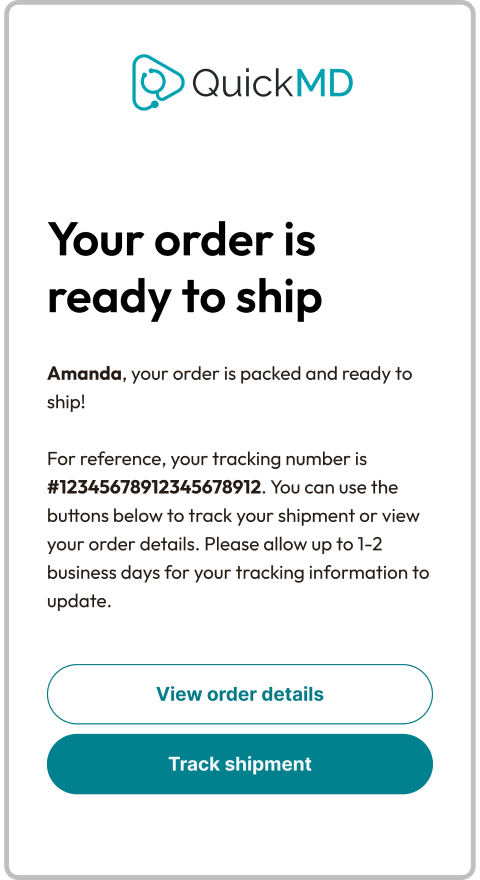
Order confirmation and Ready to ship emails
Two new email updates were launched in tandem with the app updates
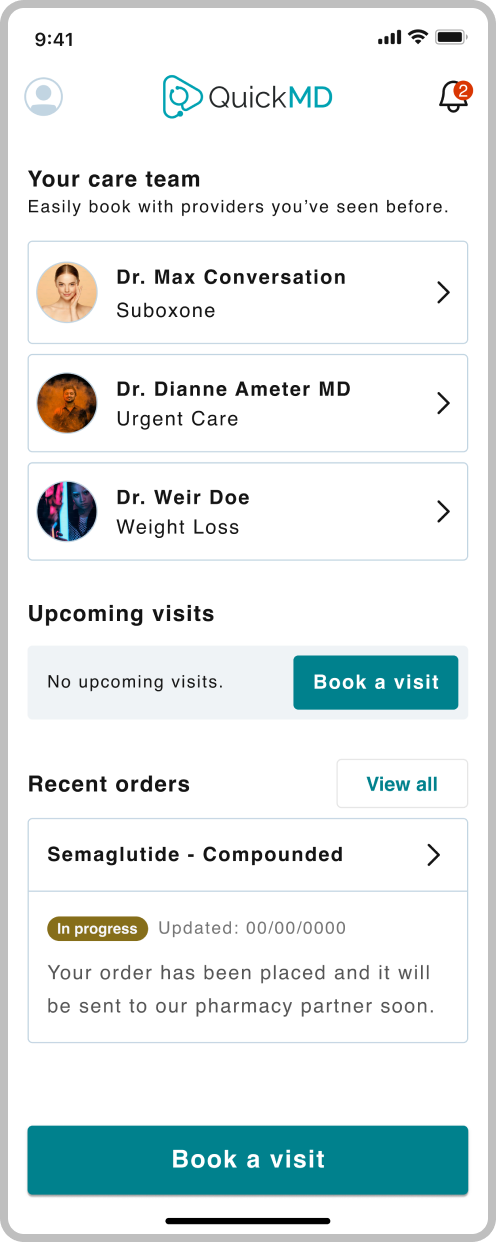
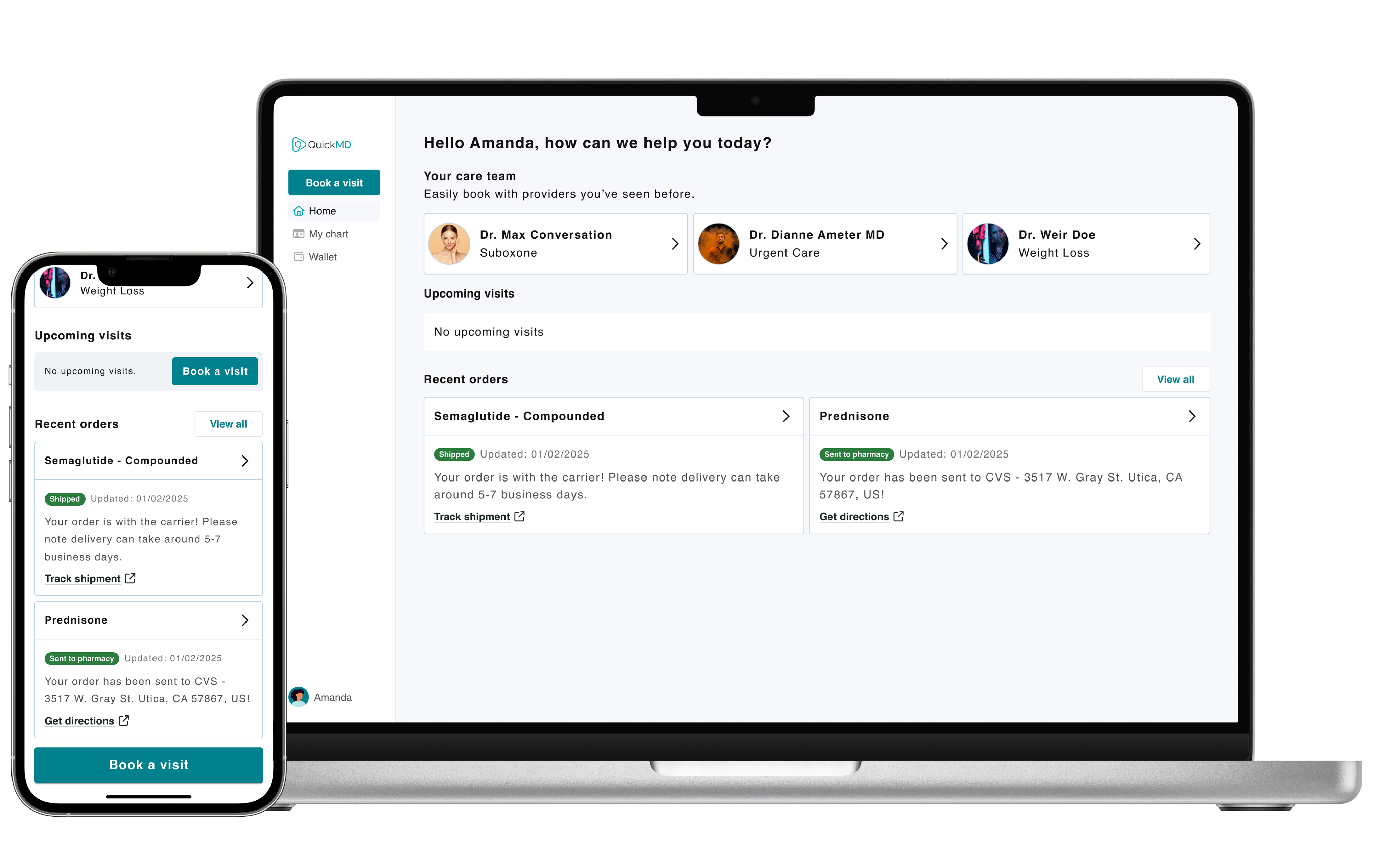
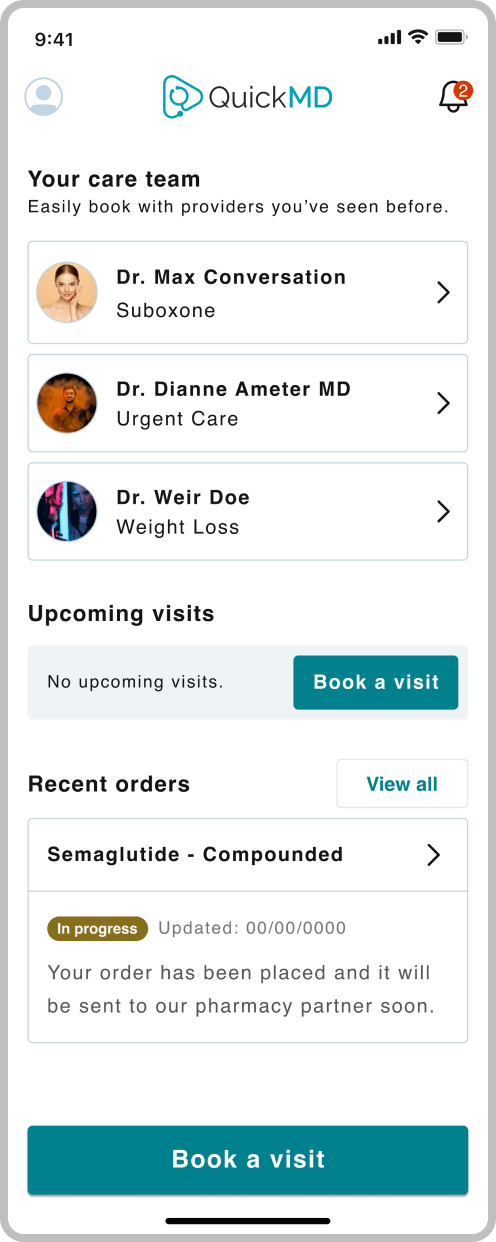
New section + quick status updates
On the landing page, users can quickly see the progress on their latest order(s), view its details, or view their order history.
As orders go from the provider, to the pharmacy, and to the patient, users can now stay updated when their orders are:
- In progress
- Sent to pharmacy
- Shipped
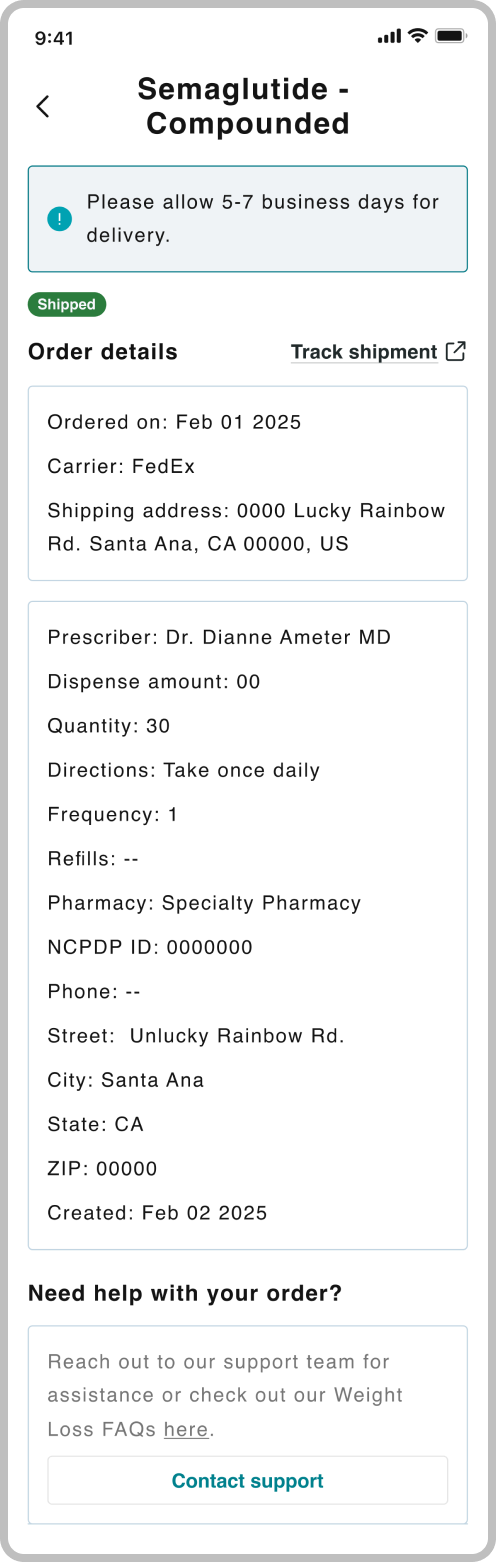
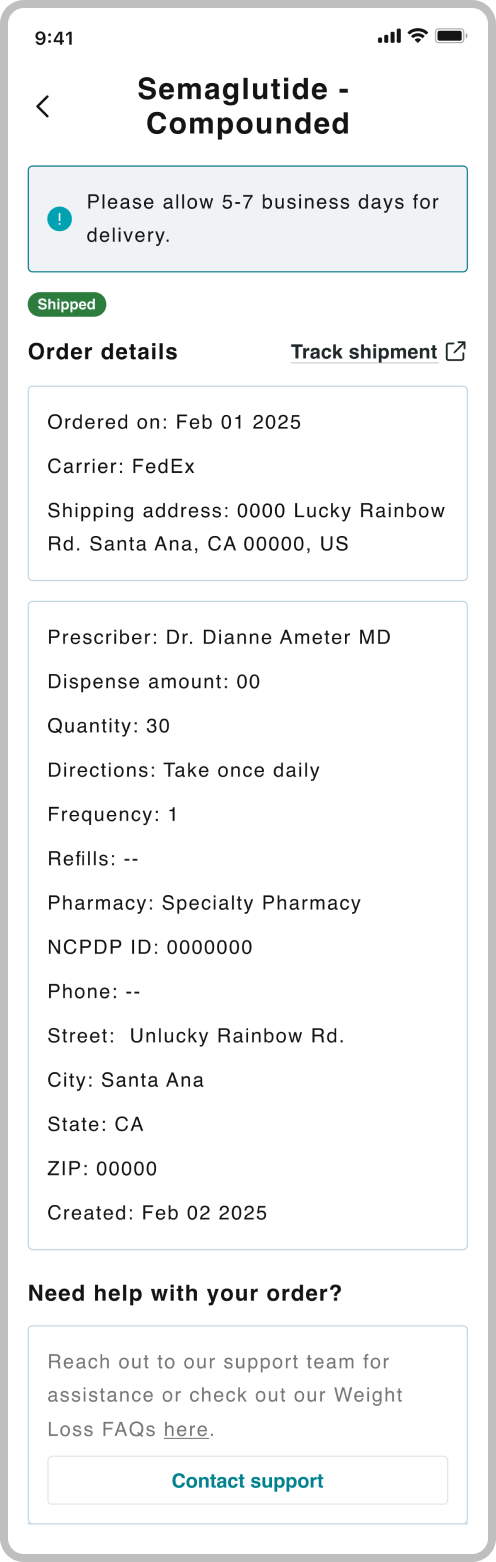
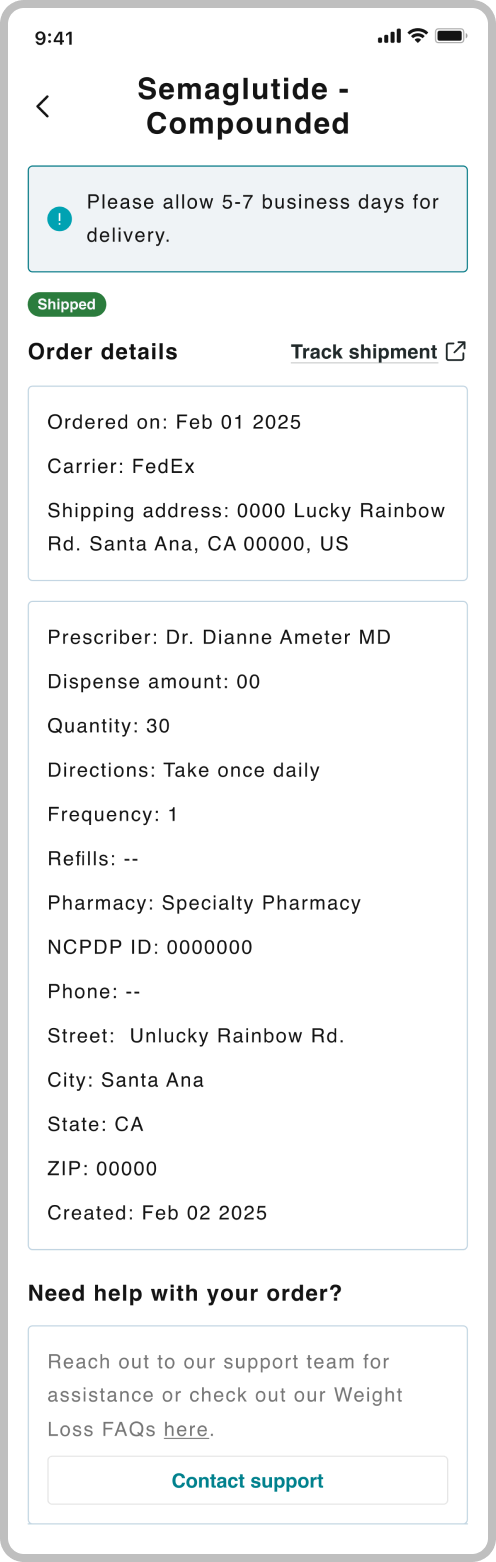
Updated order details
I kept the same layout, but added a few tweaks. By adding the ‘Carrier’ label, users now have an idea of where their orders will arrive (e.g. door, mailbox).
I also added a ‘Help’ section at the bottom that provides a link to the appropriate FAQ for those motivated to search for a quick answer themselves and a button to contact support for more complex inquiries.
Impact
Ready to ship email
- 89% email open rate
- 60% click rate for the Tracking shipment button
Reflection
Build a strong foundation
First, I should’ve met with the original designer of the existing order cards and details for a walkthrough of the logic before starting.
Second, request sandbox access early for any feature involving third-party environments.